Press kit
Hardcopy press kit
Descriptions
Use these as they are, or quote from them. They match the fact sheet word for word.
In one line
Hardcopy is a Mac app that backs up your iCloud Photos library to a drive you own, proves every copy with SHA-256, and removes old photos and videos from iCloud only after re-checking every file, so you can move to a cheaper iCloud+ plan, and it can put anything it removed back into Photos.
In one paragraph
Hardcopy is a native Mac app by SoneaLabs that keeps a checked copy of your iCloud Photos library on a drive you own, then helps you remove older photos and videos from iCloud so they fit a cheaper iCloud+ plan. It copies every photo and video as plain files in year and month folders, with album folders and .xmp sidecars, and checks each copy with SHA-256 against what Photos handed over. Before anything leaves iCloud it reads every file back from the drive again, asks you to confirm five risks, goes through macOS's own confirmation, and writes a receipt saying where each removed item's copy is. If you change your mind, its Restore section checks every file against its hash and puts removed items back into Photos, with their edits, Live Photo videos, dates, places and albums. It costs $14.99 once (₹999 in India), is sold only as a direct download from its website, with a 30-day refund, and needs macOS 15 or later, Apple silicon or Intel.
Fact sheet
| Name | Hardcopy |
|---|---|
| What it is | Hardcopy is a Mac app that backs up your iCloud Photos library to a drive you own, proves every copy with SHA-256, and removes old photos and videos from iCloud only after re-checking every file, so you can move to a cheaper iCloud+ plan, and it can put anything it removed back into Photos. |
| Developer | SoneaLabs, India |
| Price | $14.99, paid once, with any tax added at checkout; in India ₹999 plus 18% GST (₹1,178.82 in all). No subscription, no account. |
| Early-bird price | The first 10 buyers pay nothing (no card needed), buyers 11–60 pay $4.99, buyers 61–110 pay $8.99, then $14.99. In India: ₹0 / ₹299 / ₹399 / ₹999, plus 18% GST added at checkout (₹352.82 / ₹470.82 / ₹1,178.82 in all). Elsewhere, any tax is added at checkout. |
| Licence | One licence key works on up to 3 Macs and includes all future updates. |
| Refunds | 30-day refunds, no questions asked. |
| Where to buy | Direct download from https://gethardcopy.app only. Direct purchases are sold through Dodo Payments, the merchant of record, which emails the licence key and receipt. |
| Before you buy | Hardcopy needs a licence key to back up or remove anything. If it is not right for you, there is a 30-day refund, no questions asked. |
| Requires | macOS 15 or later, Apple silicon or Intel. One app for both kinds of Mac. Nothing before macOS 15, and no iPhone or iPad app. macOS 26 is the last macOS for Intel Macs, so on an Intel Mac the macOS 27 extras (captions, keywords and ratings kept and restored) never appear. |
| Current version | 1.1.0 (build 6), released 2026-11-24 |
| Download | https://gethardcopy.app/download/Hardcopy-1.1.0.dmg, 8.5 MB disk image. Developer ID signed, notarized and stapled. |
| SHA-256 of the download | e3e672e7de58a448952921ba16a5387286611120300eb9a99287c080a2f932fd |
| Updates | Updates come from inside the app: it offers to check automatically, and installs only updates signed with Hardcopy's own key (Hardcopy > Check for Updates… checks at any time). Build 4 of 1.0.0 was the first update delivered this way, and 1.1.0 arrives the same way; your backup stays where it is. Every release is listed at https://gethardcopy.app/whats-new. |
| What it copies | Every photo and video in the Photos library, with every file Photos lists for it: the original as shot, the edited version, the video half of a Live Photo, the RAW alternate, every burst frame, and Photos' edit data (an .AAE file beside the photo). Files only Photos can use go in a visible Restore Data folder. Files go into year and month folders, dated by when they were taken, with an .xmp sidecar per item (date, location, favourite, albums) that Immich, digiKam and Lightroom read, and album folders made of hard links that take no extra space. An existing backup gains the new files on its next run. |
| Where the backup goes | The backup goes in a folder you choose on a drive or network share. iCloud Drive (including Desktop and Documents when iCloud Drive keeps them) is refused, because the backup would take up the iCloud storage you are trying to free. A folder that Google Drive, Dropbox, OneDrive or Box keeps in sync can hold the backup, but Free Up iCloud stays off for it: Hardcopy can check only the copy on this Mac, not what the cloud holds. |
| How it proves copies | While Photos hands over each file, Hardcopy computes the SHA-256 of the bytes it receives, then reads the file back from the drive and hashes it again. A copy that does not match is thrown away and copied again. Check Backup re-reads every file at any time. |
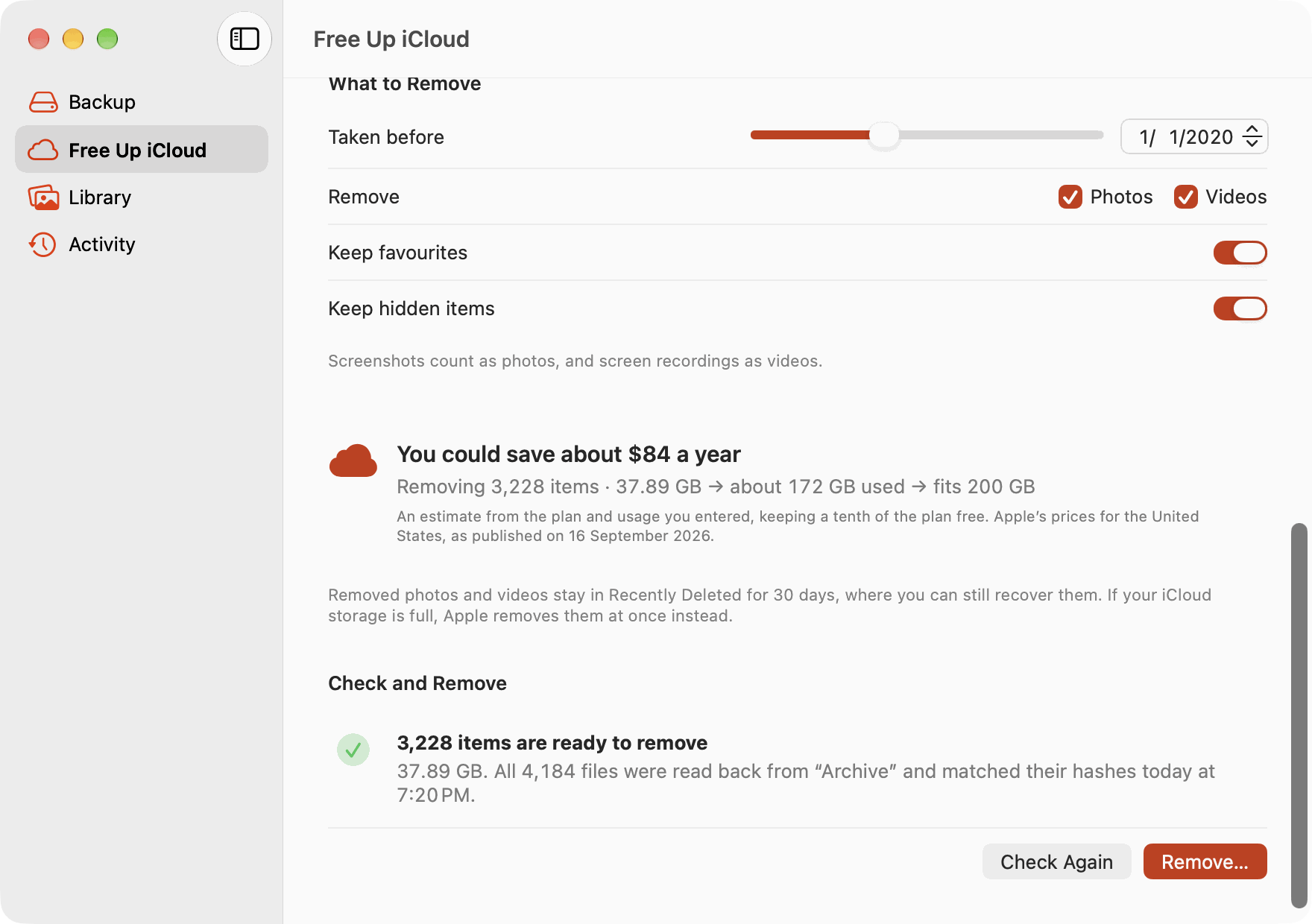
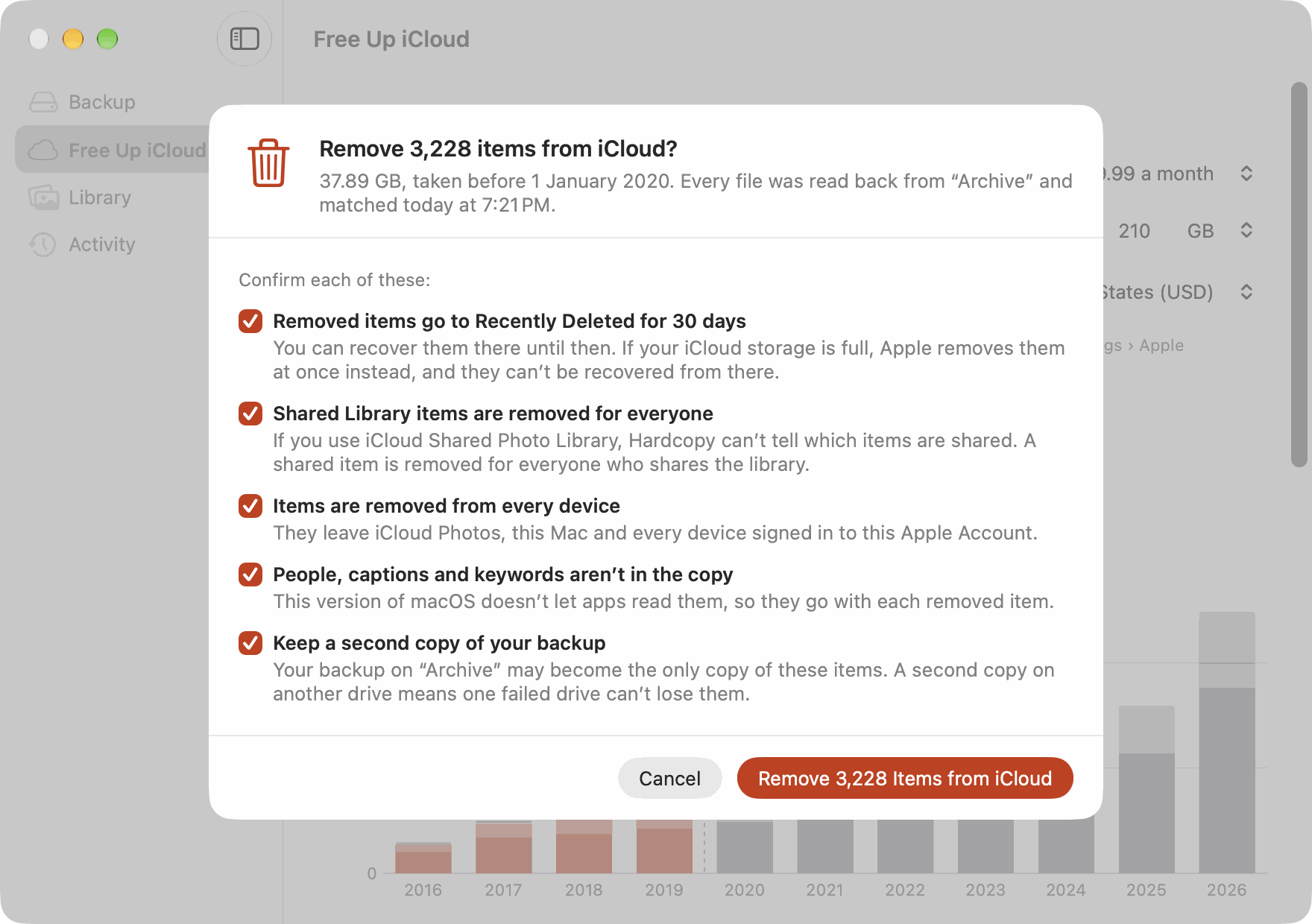
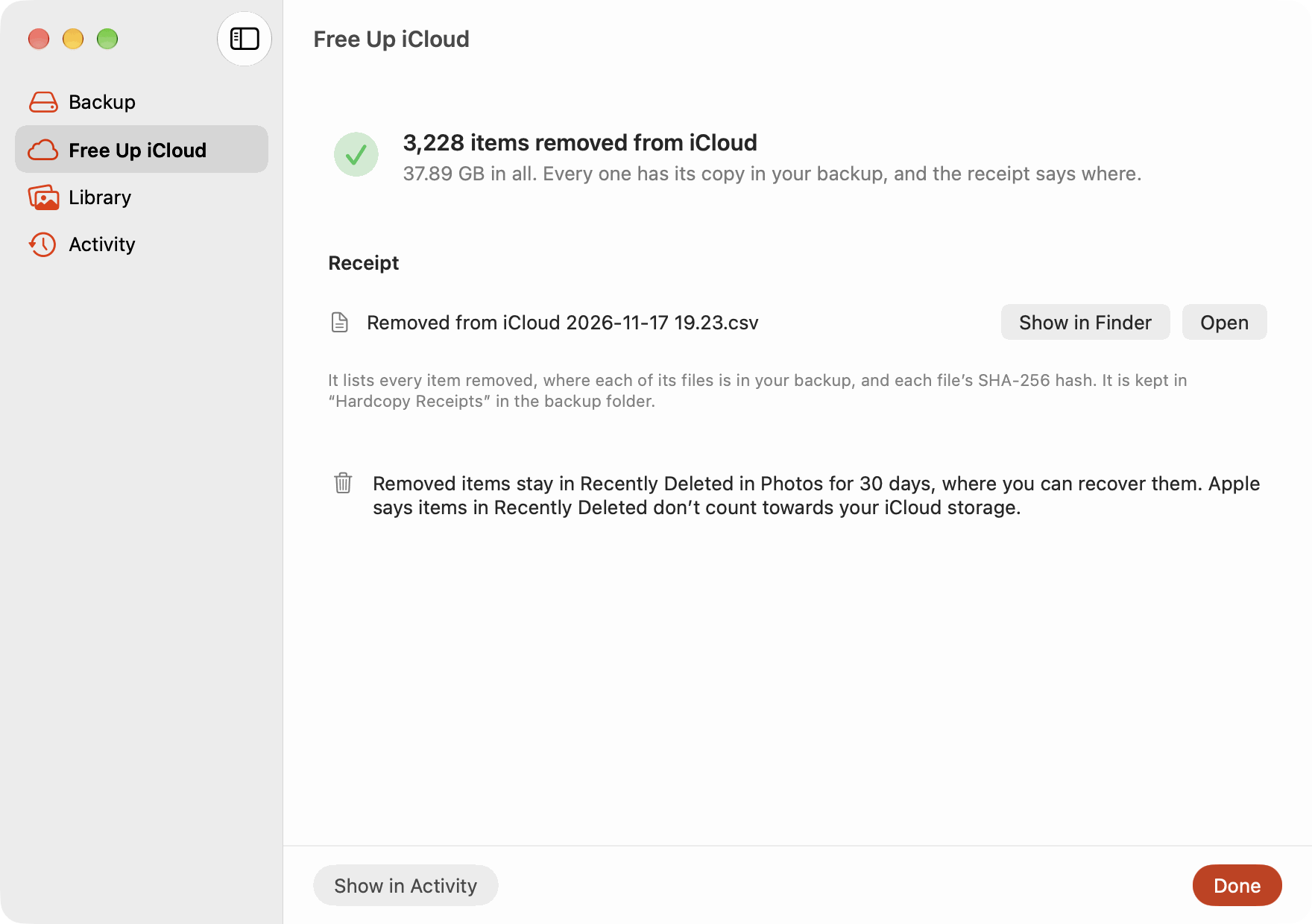
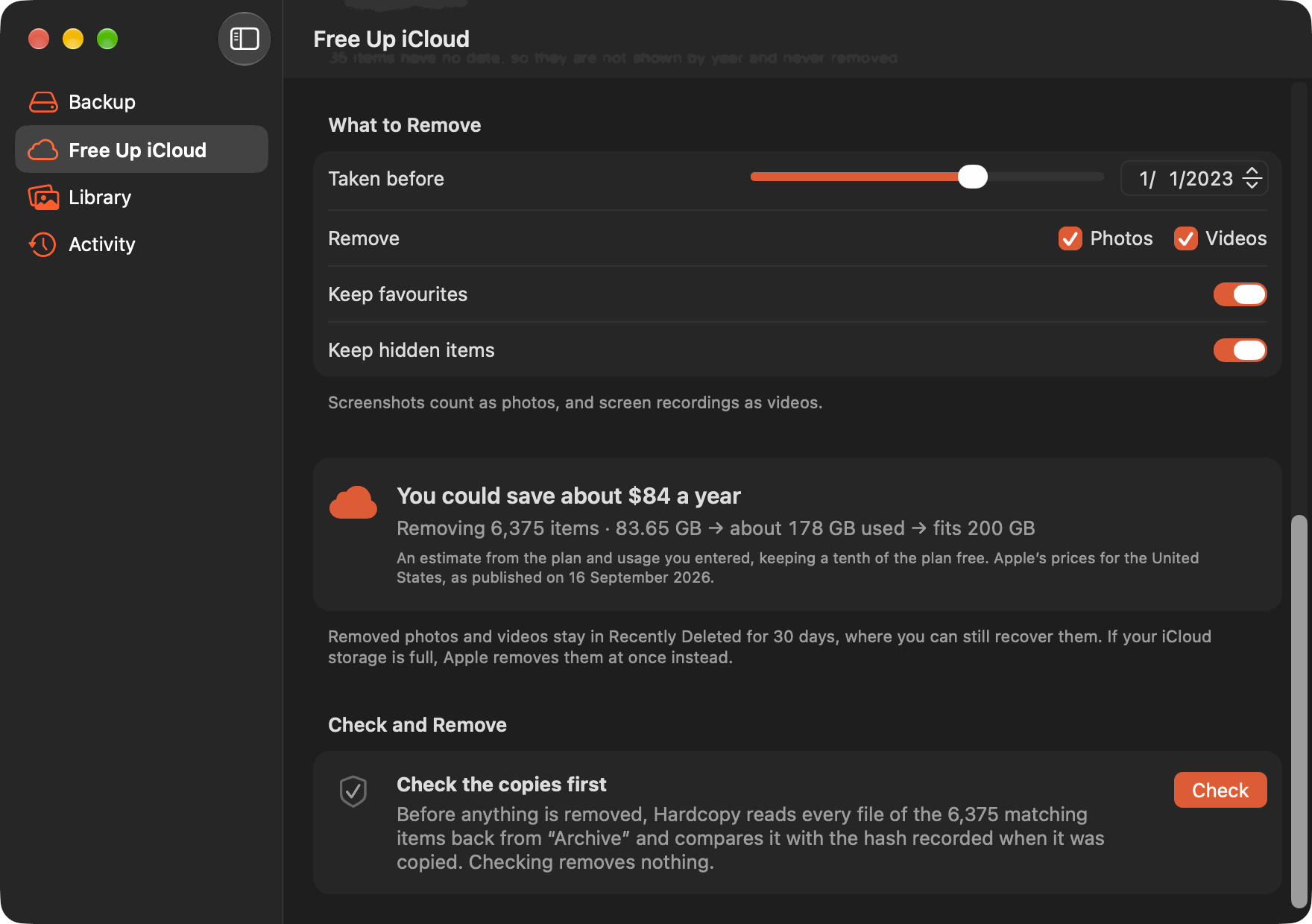
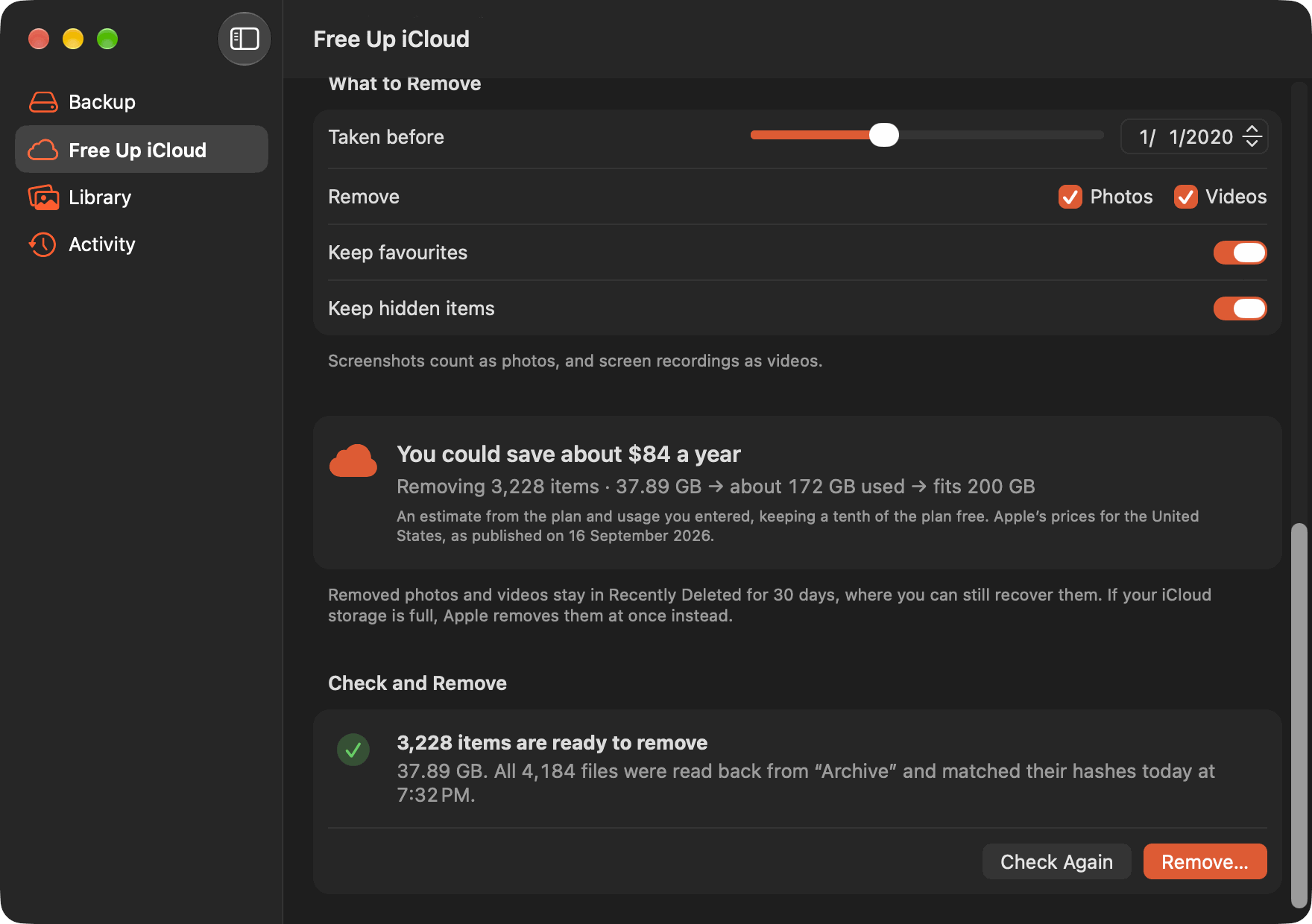
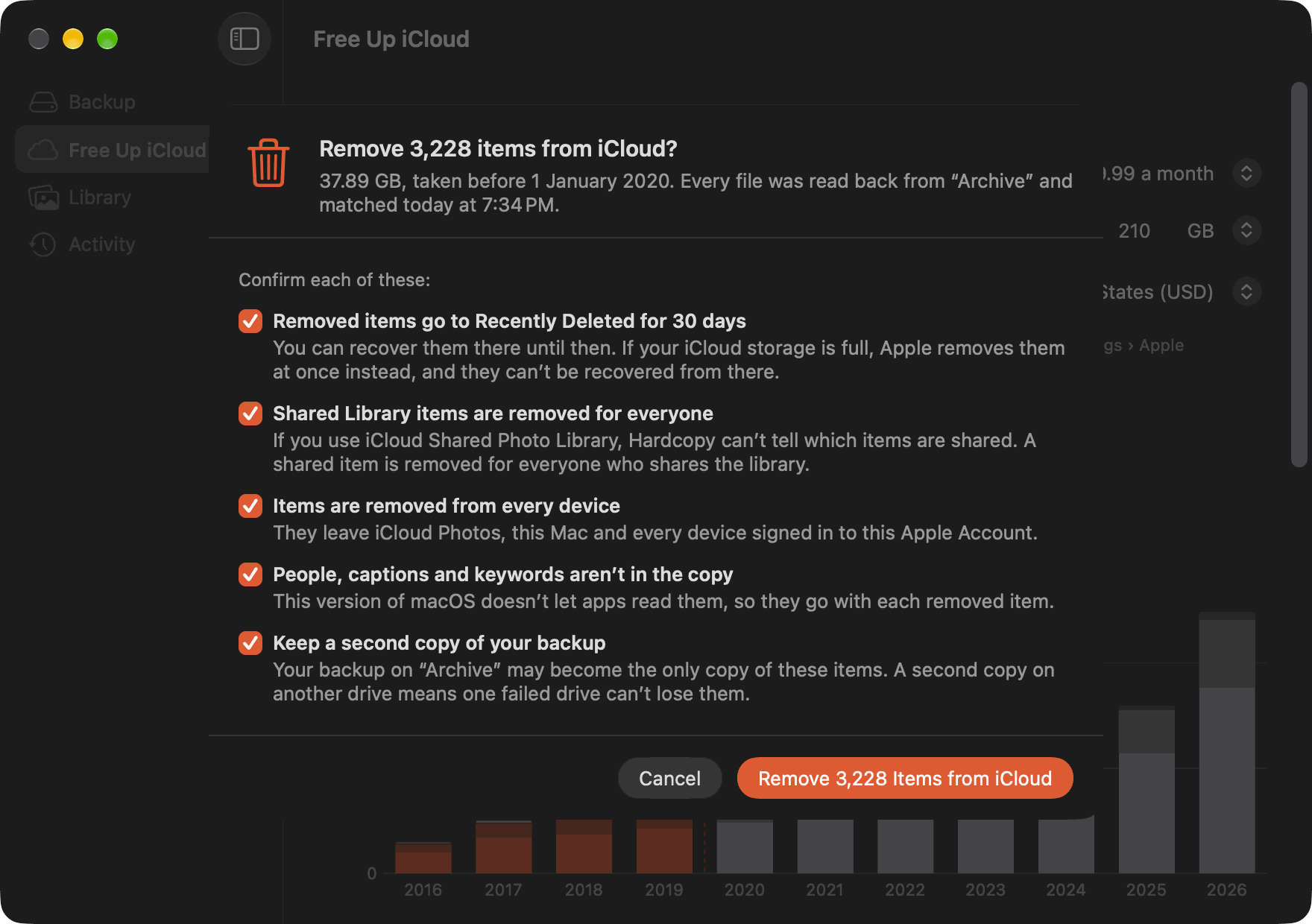
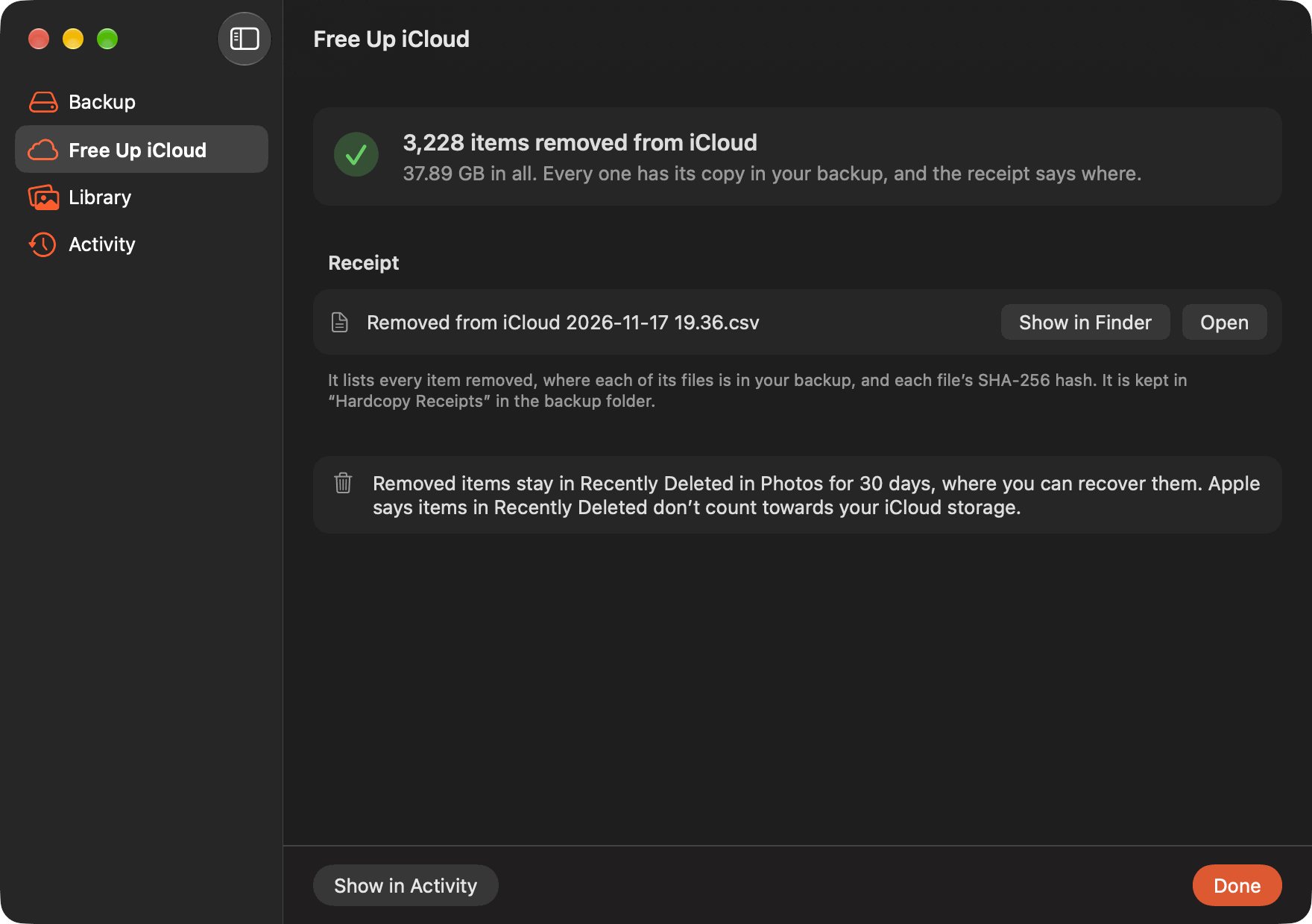
| How removal works | You choose what to remove by date taken. Hardcopy reads every file of every chosen item back from the drive and matches it to its hash, then asks you to tick five warnings. It removes items oldest first, in batches of at most 500, each through macOS's own confirmation, and writes a receipt (a CSV in the backup folder) saying where each removed item's copy is. It never removes anything on its own, and an item is not ready to remove until every one of its files, edit data included, is backed up and checked. |
| If a removal gets stuck | If Photos doesn't answer for 2 minutes, Free Up iCloud says so and offers Stop Waiting; after 15 minutes Hardcopy stops waiting by itself. Nothing is assumed removed: Hardcopy asks the library which items are gone and puts only those in the receipt. If Photos removes the rest later, they are added to the same receipt. |
| Restore to Photos | Restore (Command-3) lists what is in the backup but no longer in Photos, whether Hardcopy removed it or you deleted it; each removal in Activity also offers Restore… for its items. Hardcopy checks every file against its hash, then puts each item back as a new item with its original, edit, Live Photo video, RAW, date, place, favourite, hidden state and albums (caption, keywords and rating too on macOS 27). It writes a restore record in Hardcopy Receipts and removes nothing from the backup. Restored items upload to iCloud again, and items removed by version 1.0.0, which kept no edit data, come back as their edited version only. |
| What it cannot do | It does not back up Shared Albums or iCloud Drive, or encrypt the backup. It cannot tell Shared Library items from your own, does not keep or restore people, keeps captions and keywords only on macOS 27, and cannot read your iCloud plan, so you type it in. It restores only items no longer in your library, and only into your own library, not a Shared Library. It will not keep the backup in iCloud Drive, and it removes nothing from iCloud while the backup is in a folder another cloud app syncs. |
| Privacy | Your photos go only to the drive you choose. Nothing else leaves the Mac except the licence activation, a weekly re-check of the licence, and update checks; a diagnostic report goes only to your clipboard. It never asks for your iCloud password. Photos itself downloads originals from iCloud when the Mac holds only small versions. |
| Diagnostic report | Help › Copy Diagnostic Report puts a plain-text report on your clipboard: versions, your Mac and drive, Photos access, and recent backups, removals and restores with counts and reason codes. It holds no file names, folder or drive names, album titles, locations or licence key, and the app never sends it: you paste it into an email yourself. |
| Languages | English |
| Category | Utilities |
| Website | https://gethardcopy.app |
| Support and press | harsh@sonealabs.com |
Correct for version 1.1.0, released 2026-11-24. Release notes: What's New.
App icon and logo
Please show the icon and logo as they are: no recolouring, cropping, added effects or other marks placed on them.
Launch film
Download the film · 22 seconds, 1920 × 1080, H.264 with sound, 8 MB
Screenshots
Each screenshot is the app window at 2× (1760 × 1240 pixels), in light and dark, as a PNG with transparent rounded corners. They show a demo library, not a customer's, so the counts, sizes and speeds in them are examples, not measurements.
-
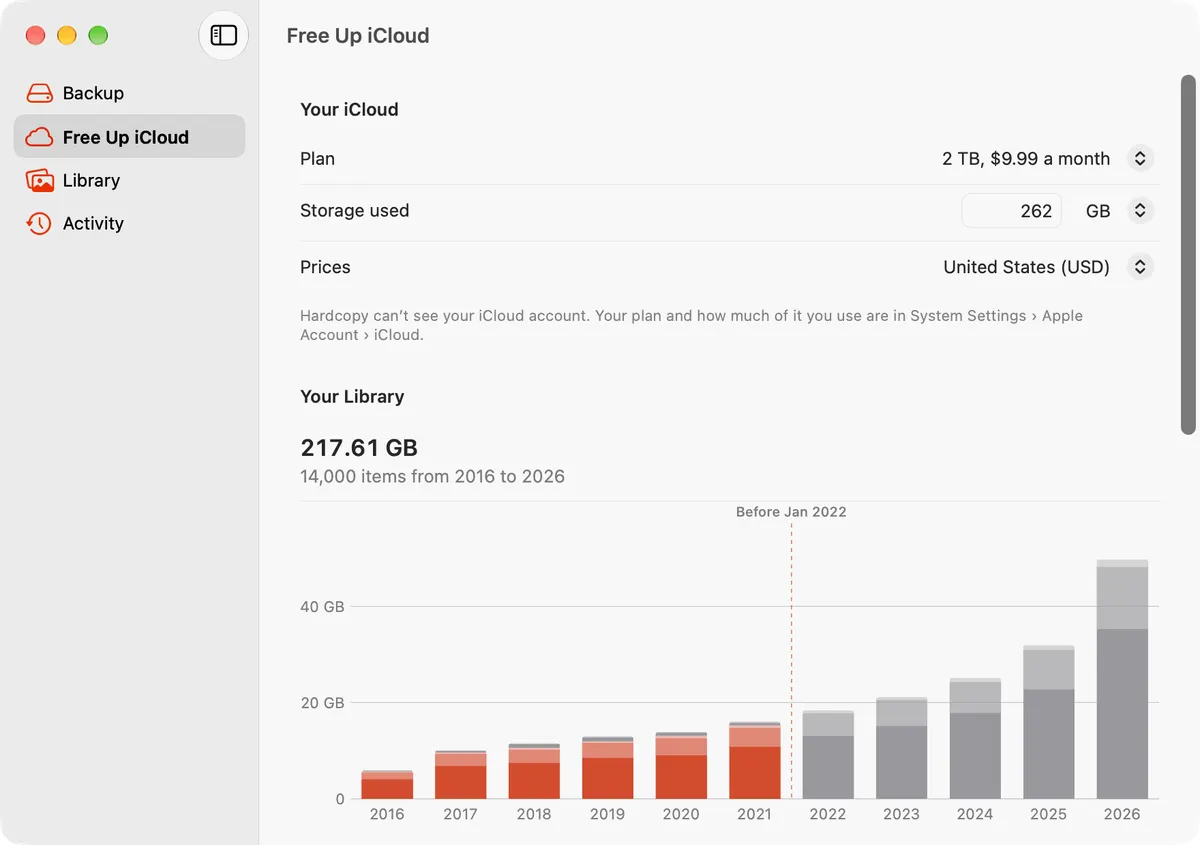
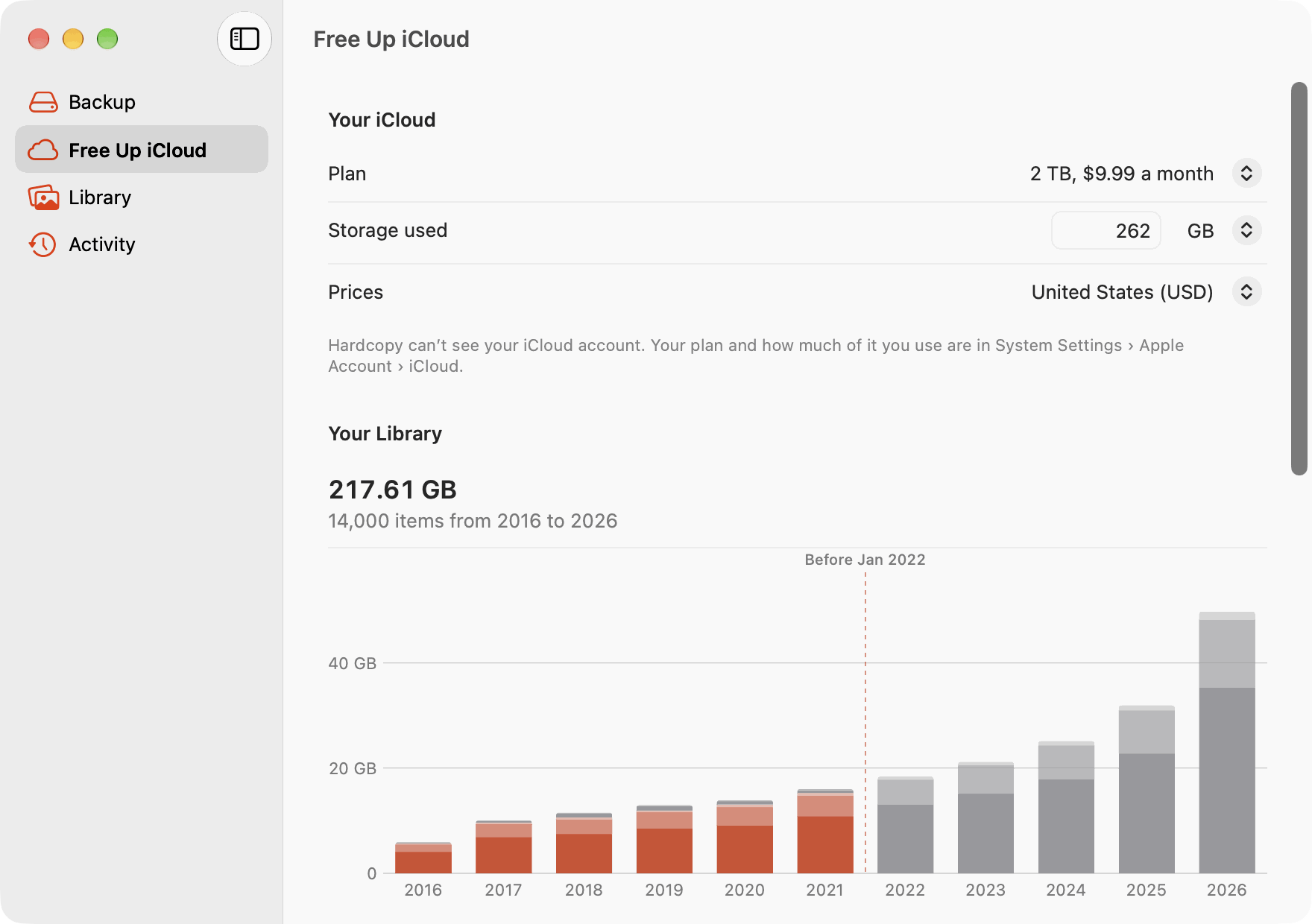
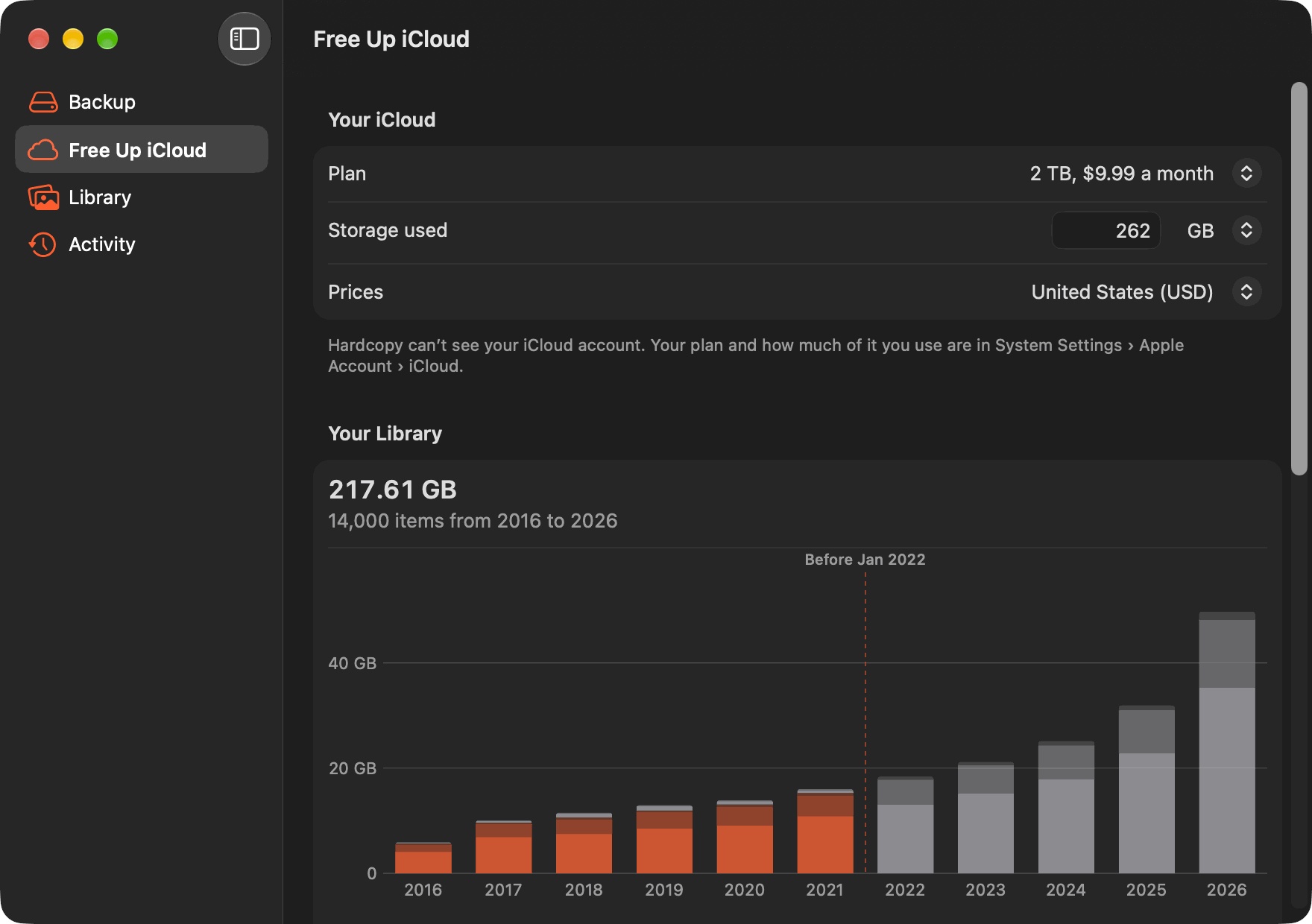
See what your photos take in iCloud, year by year, with the part a date would remove in vermilion.
-
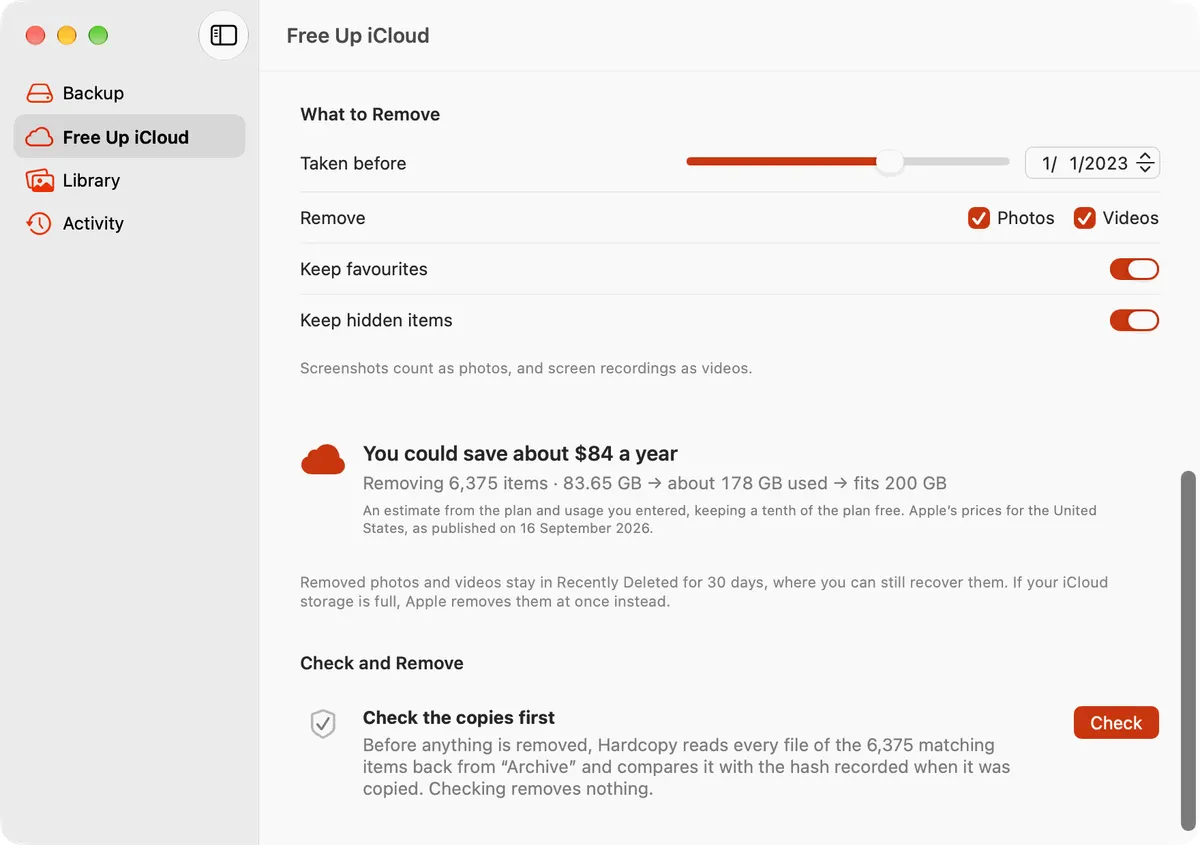
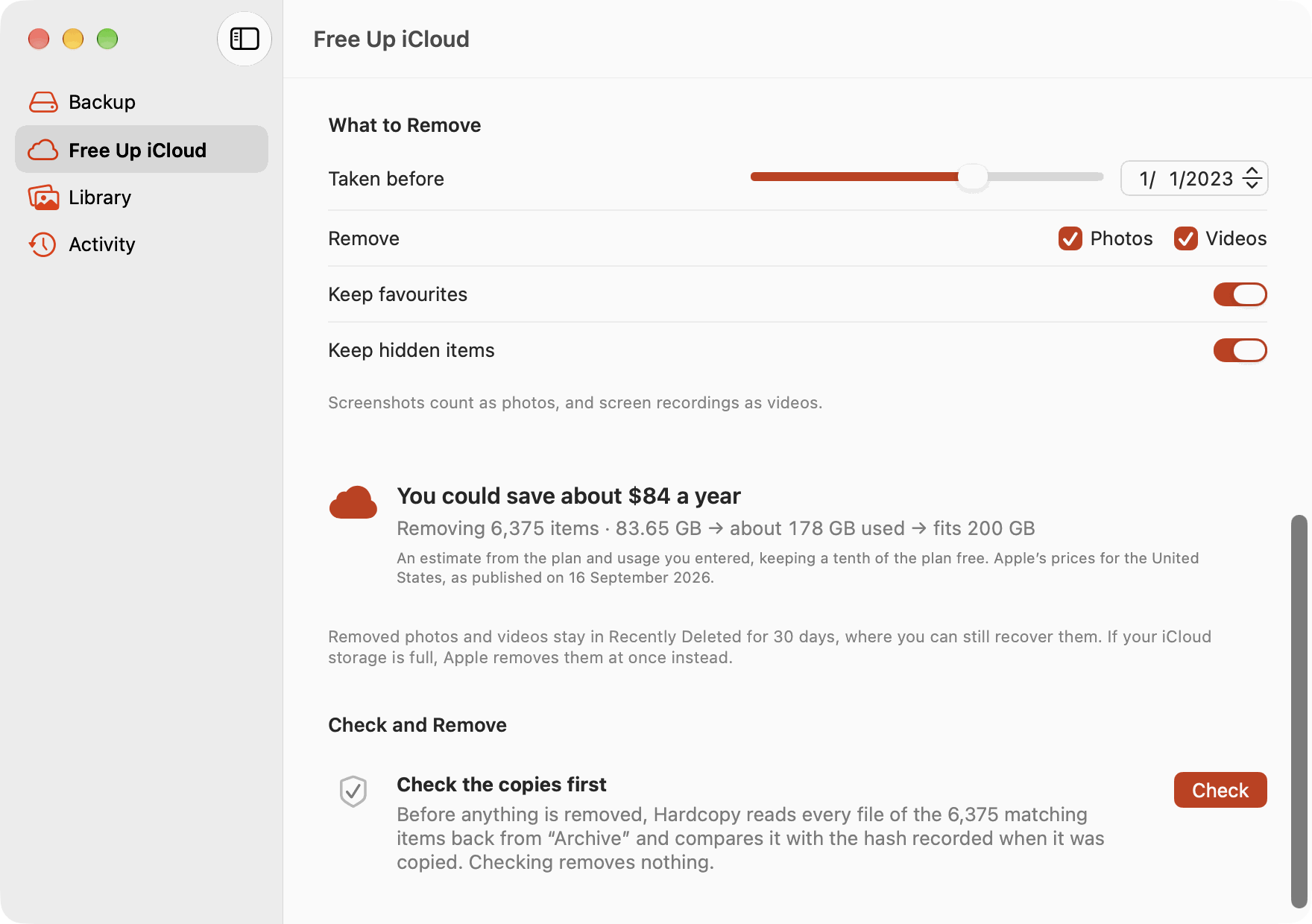
The iCloud+ plan you would need afterwards and what you could save a year.
-
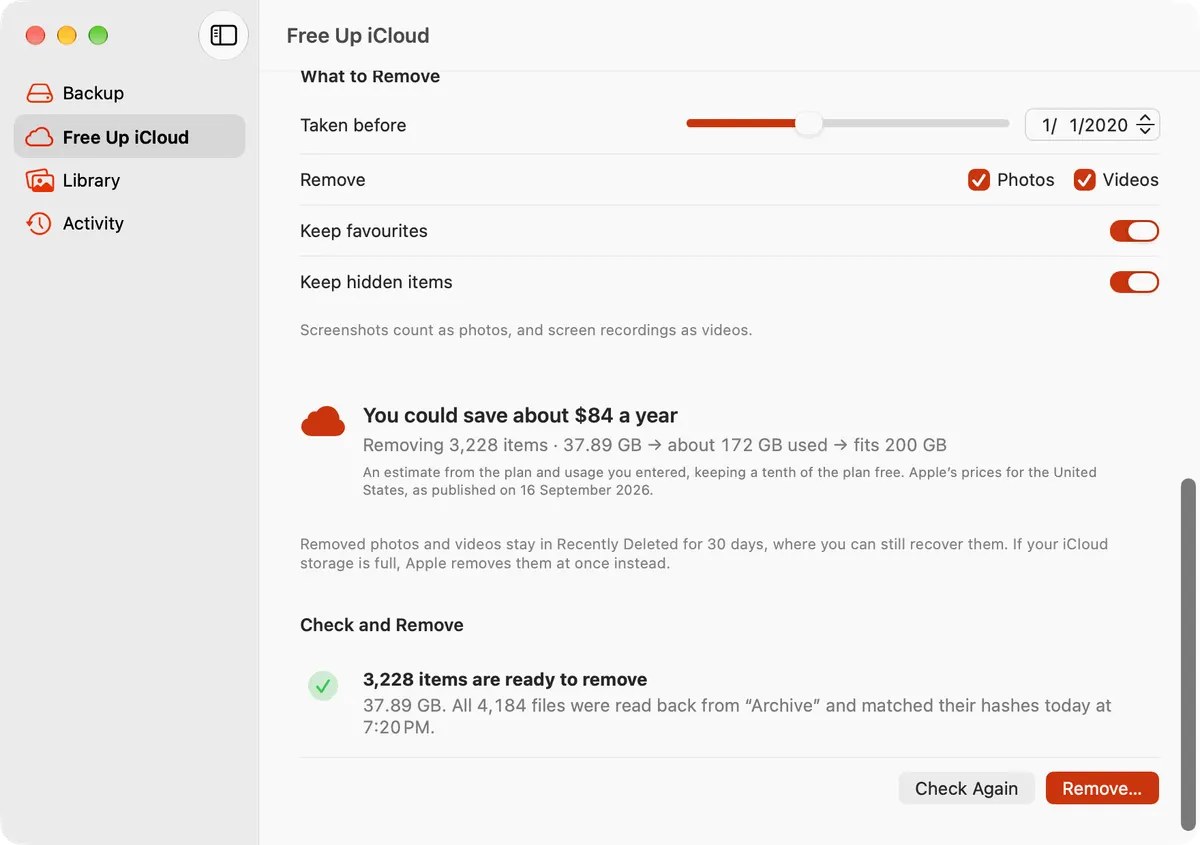
Every file read back from the drive and matched to its SHA-256 before anything is removed.
-
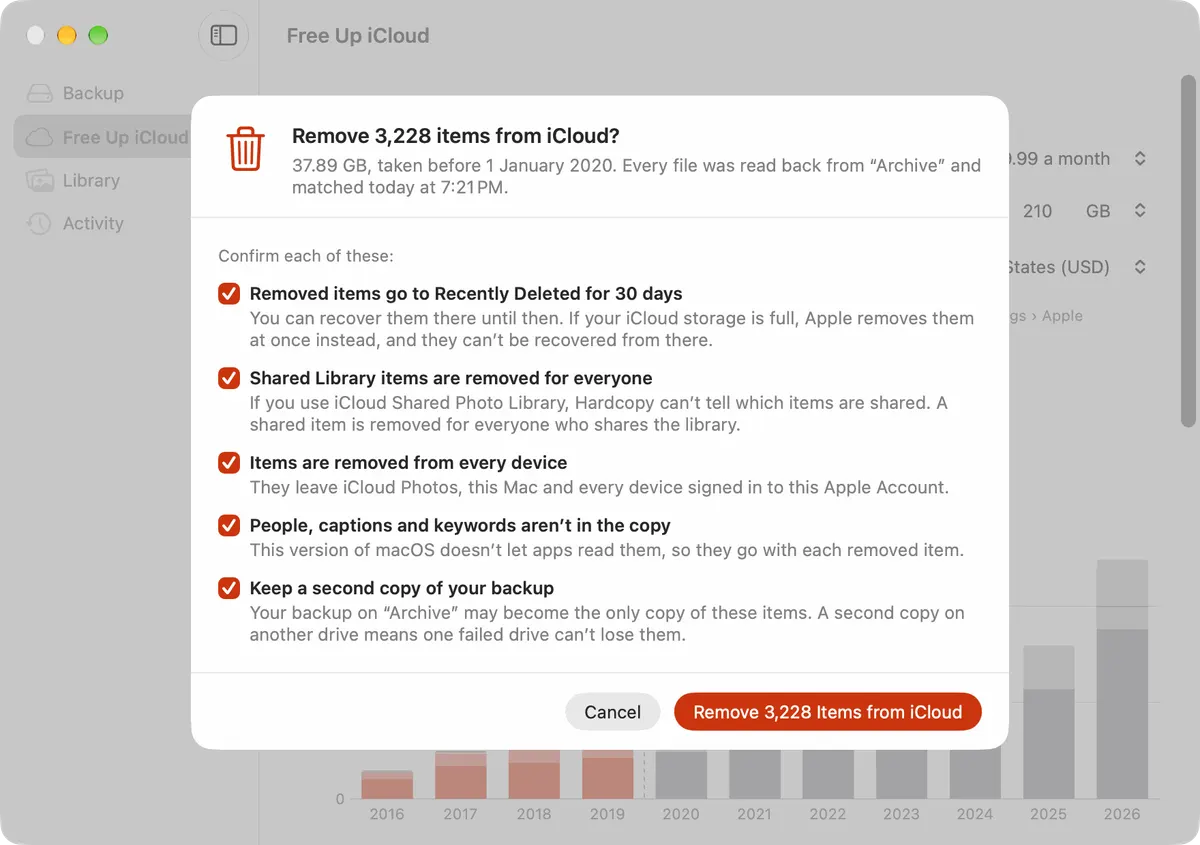
Five warnings to tick before removal; the button names the exact count.
-
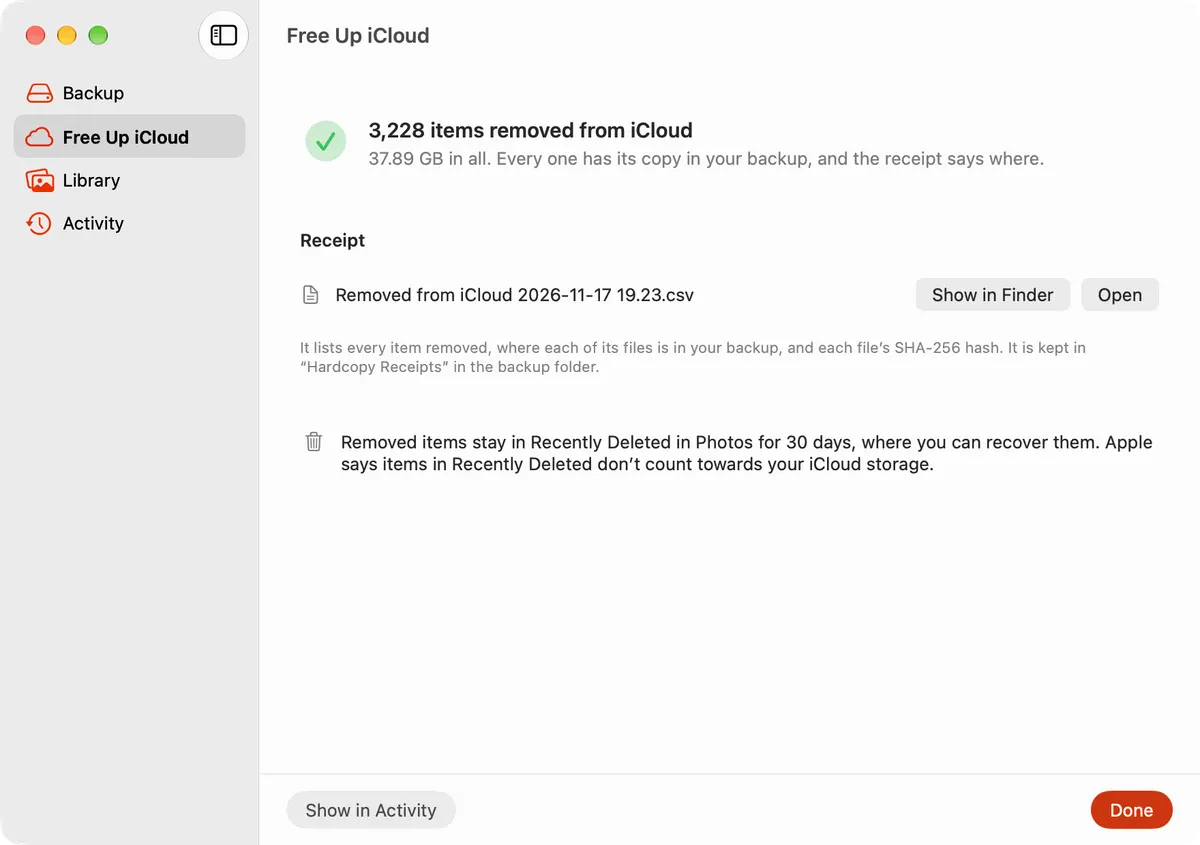
Removed from iCloud, with a receipt saying where each item's copy is.
-
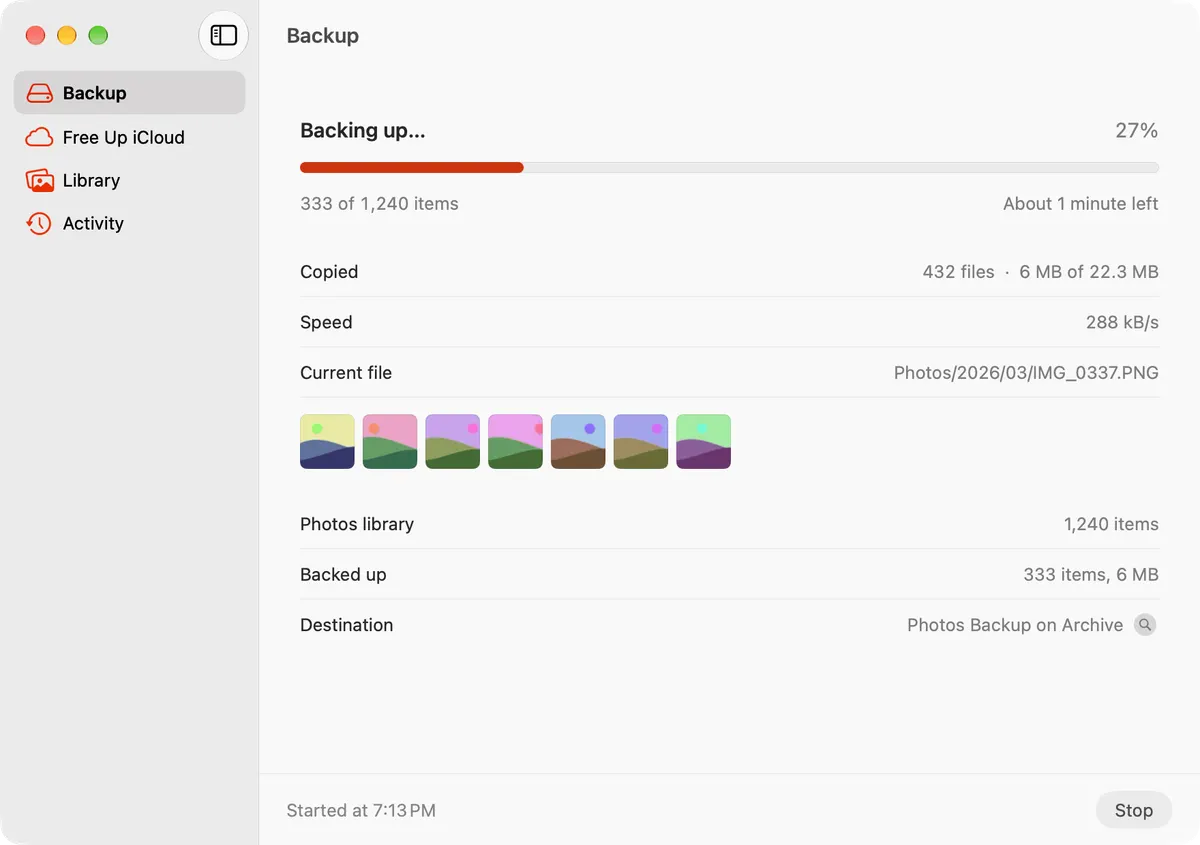
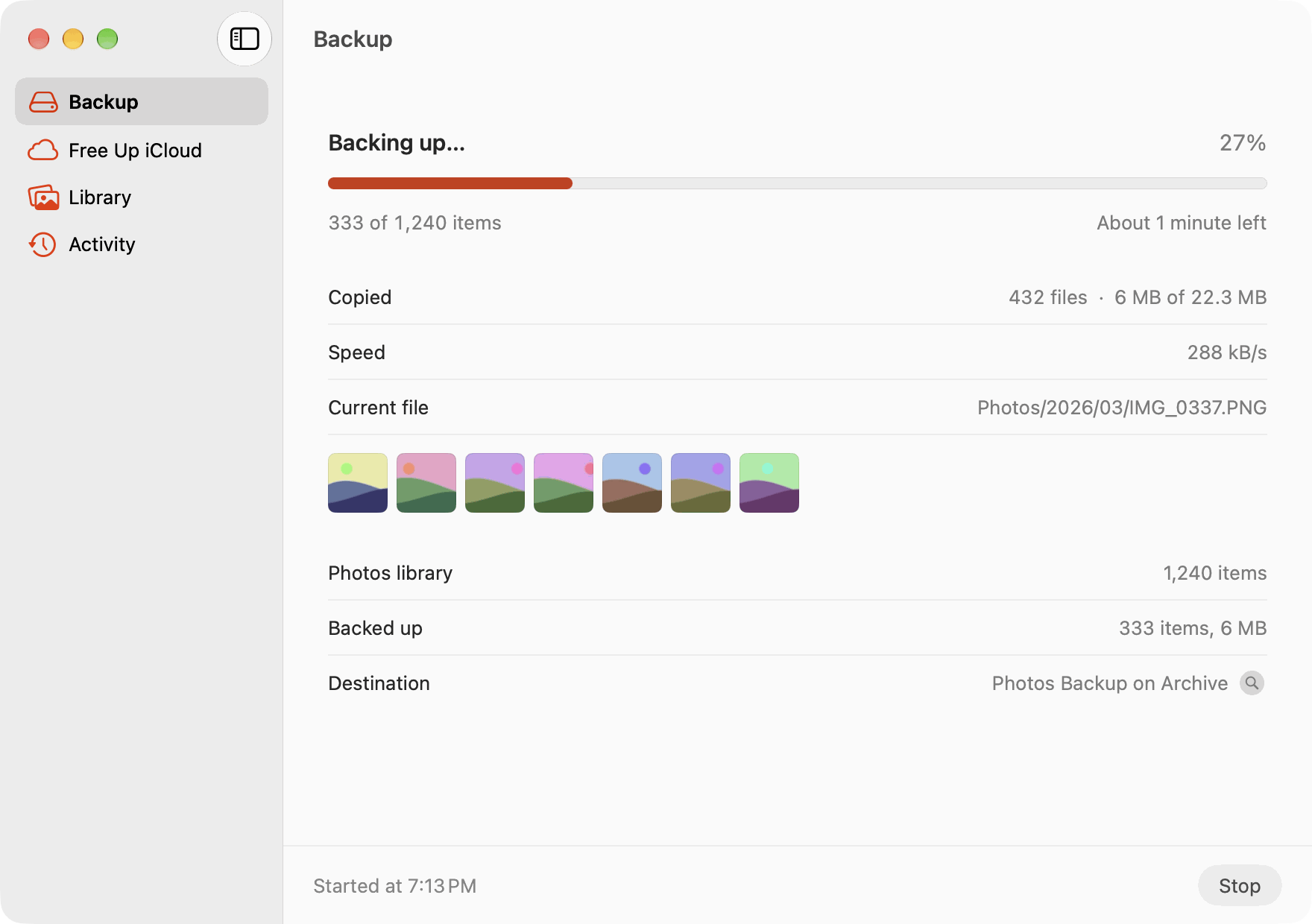
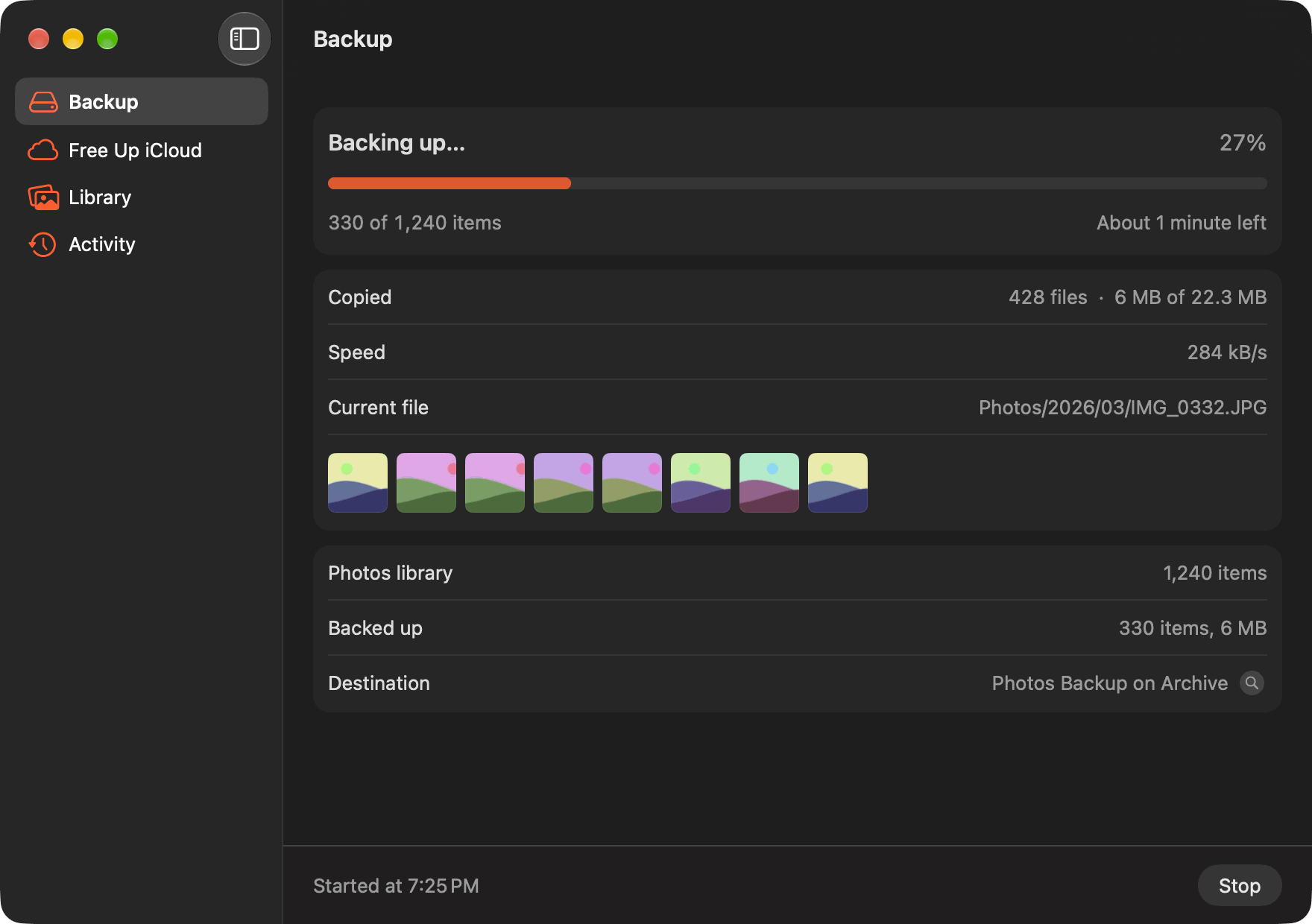
Backing up, with speed, time left and what was just copied.


Contact
Hardcopy is made by SoneaLabs in India. For interviews, review copies or anything on this page, email harsh@sonealabs.com.
Trademarks
Hardcopy and the Hardcopy icon belong to SoneaLabs. Apple, iCloud, iCloud+, Mac and Photos are trademarks of Apple Inc. Hardcopy is not affiliated with or endorsed by Apple.

Keep every photo. Pay less for iCloud.
Hardcopy is a Mac app that backs up your iCloud Photos library to a drive you own, proves every copy with SHA-256, and removes old photos and videos from iCloud only after re-checking every file, so you can move to a cheaper iCloud+ plan, and it can put anything it removed back into Photos.
macOS 15 or later, Apple silicon or Intel · Paid once, no subscription · 30-day refund, no questions